VIEW
Navigate complex models
Orbit, pan and zoom a responsive 3D scene with axes, grid, bounding box, wireframe and orthographic controls.
CAD beyond the workstation.
Open DWG, DXF, STEP, IGES, STL, OBJ, 3MF, PLY, glTF and USDZ on device. Inspect, check dimensions, place in AR and export a PDF report.
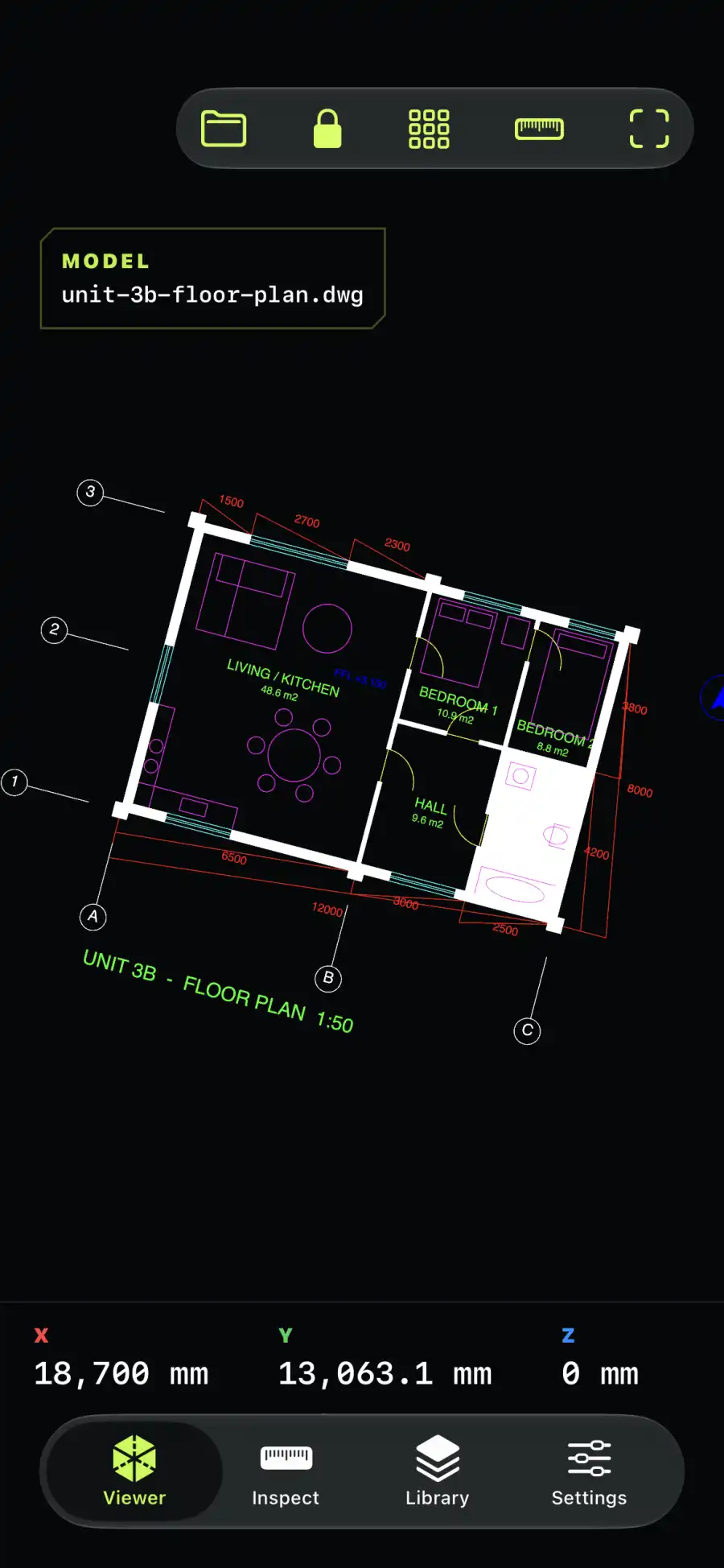
Open the model, focus on the geometry that matters, and take a supported mesh into the room. CadRoam keeps the workflow compact without hiding technical limits.
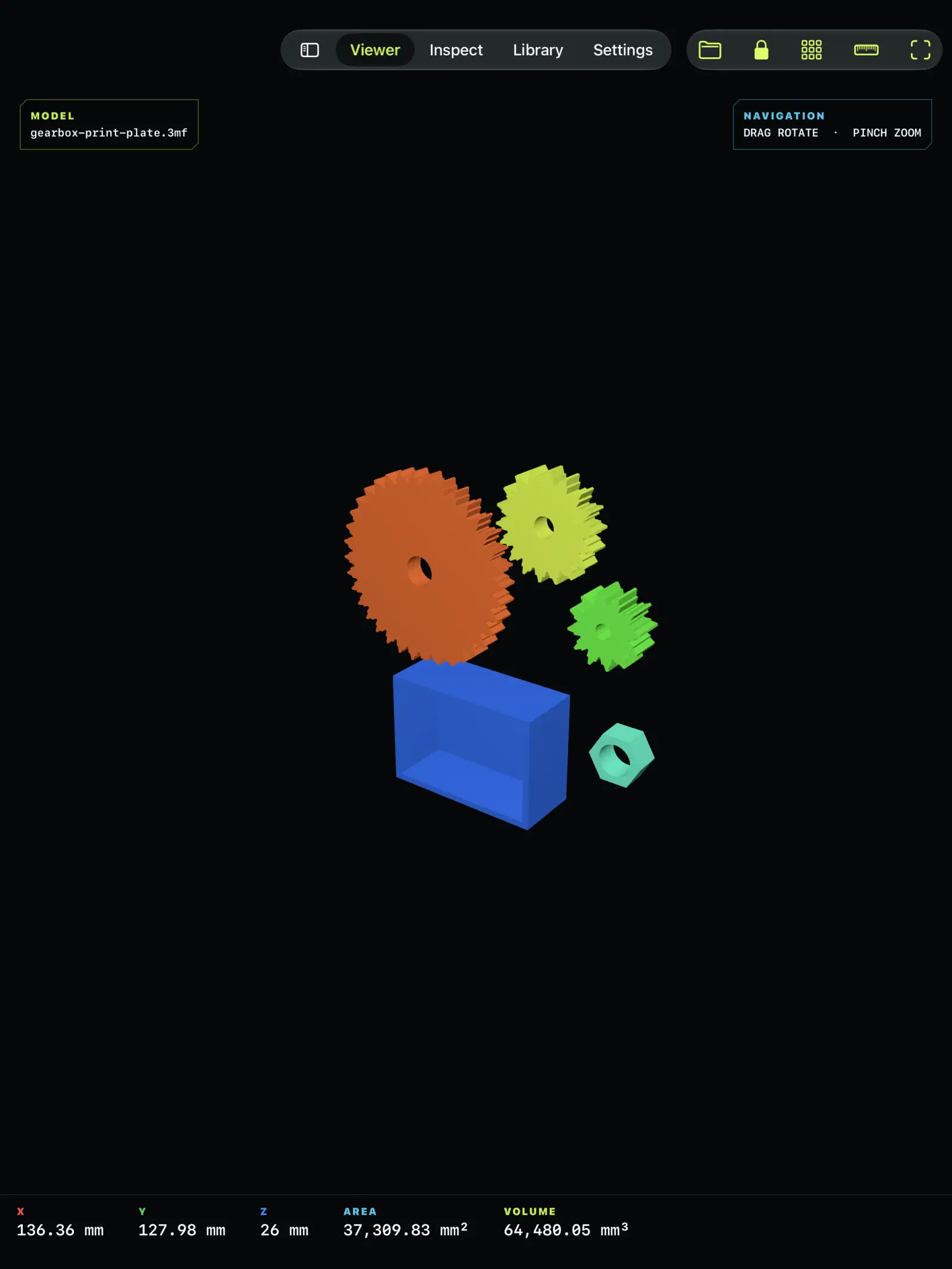
Orbit, pan and zoom a responsive 3D scene with axes, grid, bounding box, wireframe and orthographic controls.
Review bounds, triangles, surface area and enclosed volume when the source geometry supports those calculations.
Place renderable geometry on a detected surface, then fit, rotate and scale it with familiar touch gestures.
No account setup and no cloud-conversion queue. Start from Files, keep a local library, and export a compact inspection PDF with CadRoam Pro.
Import DWG, DXF, STEP, IGES, STL, OBJ, 3MF, PLY, glTF or USDZ from iCloud Drive, local storage or another document provider.
Isolate objects, switch display modes and review mesh-derived measurements without uploading the model.
Use camera AR on supported iPhone and iPad, or generate a local PDF for a design conversation.
CadRoam is designed around a local engine. Files are copied only into the private on-device library you control; model contents are never sent to a developer-operated conversion service.
Orbit, zoom, isolate assembly objects, use wireframe, orthographic and transparency modes, and read geometry metrics when available.
Detect a real surface, tap to place, then choose fitted or source-unit scale, pinch and rotate. Camera frames remain in Apple ARKit.
Generate an inspection PDF locally and export or share it with system tools on iPhone, iPad and Mac.
CadRoam reports exactly what its engine can render. DWG, DXF, STEP, IGES, STL, OBJ, 3MF, PLY, glTF and USDZ are all processed on device, and anything an exporter writes outside that scope is named instead of failing silently.
AutoCAD R13–R2018+ linework, blocks, text, dimensions, hatches and layouts.
ReadyASCII and binary drawings: linework, text, dimensions, blocks and mesh faces.
ReadyExact B-Rep, curved surfaces, assemblies and AP242 tessellation.
ReadyB-Rep and curved surface geometry.
ReadyBinary and ASCII triangle meshes.
ReadyIndexed objects, groups and materials.
ReadyCore 3MF mesh packages from slicers; unsupported extensions are named.
ReadyPolygon meshes from 3D scanners and mesh tools.
ReadyglTF 2.0 and GLB meshes with node transforms and material colours.
ReadyUSDZ, USD, USDA and USDC meshes with material colours.
ReadyCadRoam is useful when the model needs to leave the authoring workstation but should not leave your control.
Carry a reference model into a meeting, isolate parts and discuss geometry without launching the authoring suite.
Compare overall bounds and part orientation near a bench, machine or assembly area.
Review STL, OBJ, 3MF and PLY meshes, triangle density, dimensions and enclosed-volume estimates before handoff.
Use a clean touch viewer or supported AR placement to explain a design away from the workstation.
Model contents are processed on device. CadRoam has no account, advertising, third-party analytics or developer-operated conversion cloud.
Yes. CadRoam renders exact B-Rep, curved surfaces, assemblies and AP242 tessellated STEP on device. Where an exporter-specific record falls outside the engine, CadRoam says so instead of presenting an empty result as success.
DWG, DXF, STEP, IGES, STL, OBJ, 3MF, PLY, glTF/GLB and USDZ all render in the current engine. DWG and DXF include text, dimensions, hatches and paper-space layouts for AutoCAD R13–R2018+, and STEP and IGES include exact B-Rep and curved surfaces. Coverage still varies across schema editions and exporter-specific records, so an unusual export can render partially.
No. CadRoam copies imported files into its private on-device library and processes model geometry locally. It does not send model contents to a developer-operated cloud conversion service.
On a supported iPhone or iPad, CadRoam Pro uses Apple ARKit to detect a surface. You tap to place compatible geometry, then rotate and scale it. Camera access is requested only when you enter AR.
No. Mesh-derived bounds, area and volume are inspection aids. Verify source units, tolerances and safety- or manufacturing-critical decisions in the original CAD system or a certified metrology workflow.
Practical guides for STEP, STL, IGES, desktop inspection and camera AR, written around what the app actually supports.
Open STEP and STP models on iPhone or iPad. Inspect supported curved surfaces, B-Rep and tessellated geometry locally, with clear import warnings.
Open field manual →IGES / IGSOpen supported IGES and IGS curved surfaces on iPhone, iPad and Mac. Tessellation runs on device, with no upload or online converter required.
Open field manual →STL / MESHOpen binary or ASCII STL files locally, inspect mesh geometry and check dimensions, triangle count, area and enclosed volume on iPhone or iPad.
Open field manual →MAC / DESKTOPUse a lightweight local CAD viewer on Mac to inspect supported STEP, STL and OBJ geometry, isolate parts and create a compact PDF report.
Open field manual →AR / FIELDPlace supported rendered STL, OBJ or STEP geometry on a detected surface with CadRoam Pro and understand scale, tracking and inspection limits.
Open field manual →DWG / MACAutoCAD has no Mac-native free viewer. Compare the four realistic ways to open a DWG file on macOS and see where a local viewer such as CadRoam fits.
Open field manual →DWG / IOSOpen an AutoCAD DWG drawing on iPhone or iPad without an AutoCAD subscription or a browser upload, and understand which revisions and drawing entities are supported.
Open field manual →DXF / APPLEOpen ASCII and binary DXF drawings on Apple devices without a converter site. Compare the options and see what a local DXF parser reads from a real drawing.
Open field manual →STEP / MACOpen STEP and STP assemblies on macOS with exact B-Rep and curved-surface support, locally, without a CAD subscription or an upload to a conversion service.
Open field manual →CAD / IPADOne iPad app that opens DWG, DXF, STEP, IGES, STL and OBJ locally, works with no signal, and offers a one-time lifetime purchase as well as monthly or yearly plans.
Open field manual →DWG / NO CADFour ways to read an AutoCAD drawing when you do not own AutoCAD, what each one costs you in privacy or structure, and which fits occasional review.
Open field manual →CadRoam is available for iPhone, iPad and Mac. Inspect three different files free. Reopen those files without using another import. Pro adds unlimited file imports, camera AR and local PDF reports, with monthly, yearly or lifetime options.